
1. Records
In UPowr, information is organised through records. Understanding the record types and the connections between them will help you navigate the platform, find what you need, and work efficiently.
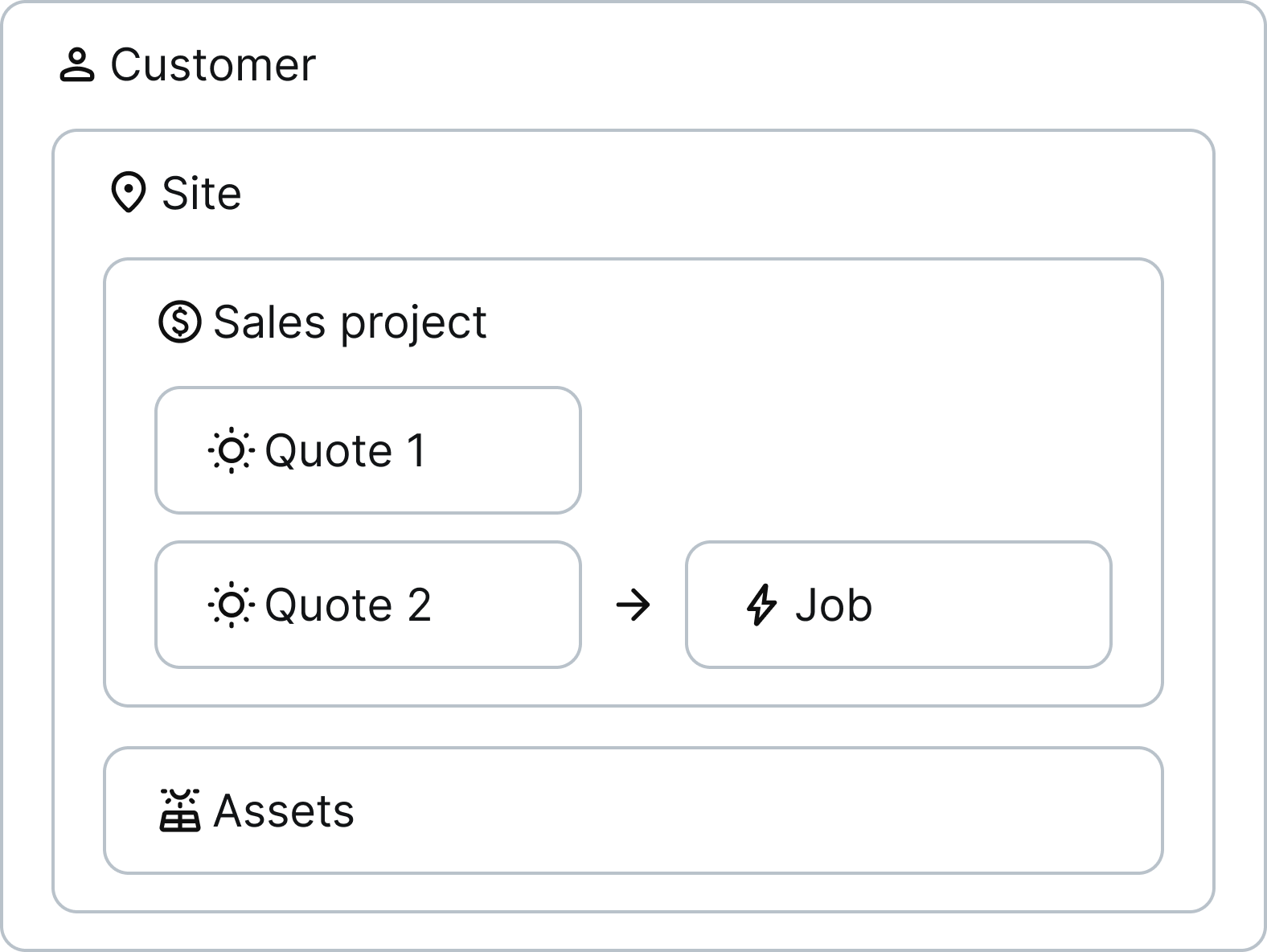
How records are connected
Each record type serves a specific purpose and connects to others.
Customer
A customer is the person or business that you're working with. On a customer record, you’ll see information relevant to any work you do for them, such as their contact details.
Site
A site is the location where your customer wants you to install hardware or provide a service. Each customer can have multiple sites.
On a site record, you'll see site-specific information, such as the NMI and installed assets.
Project
A project is a container for the work that you do to sell and install hardware or provide a service. There are two types of projects:
- Sales - for selling and installing new systems.
- Service - for post-installation work like maintenance, warranty claims, or audits.
Each site can have one active sales project and one active service project at a time.
Quotes (Sales projects only)
A quote details the system that you've designed for a sales project. Each sales project can contain multiple quotes.
On a quote record, you’ll see information such as the main hardware and site layout, as well as files, such as the SLD.
Jobs
A job details the work performed by an installation team at a site. A project can contain multiple jobs.
On a job record, you’ll see
- Job information, including the status, scheduled date, installation team, and notes
- Customer interactions, including all SMS and calls logged
- Field forms completed by the installer in the app
- Files such as job info sheets and site plans
Assets
An asset is a hardware component, such as a solar panel, battery, or inverter, that's installed on a site. You can view and manage assets from the site record:
- View a summary of assets and their statuses
- Add an asset to the site
- View the asset event log, which details all asset changes
To learn more, see assets.
Record reference codes
When a customer is created in the platform, they're assigned a unique reference code (ref for short) made up of 6 letters and numbers, which looks like this: AB-CD1E .
As more records are created for them, this customer ref is extended. For example,
- for their projects, an additional letter is added:
AA-CD1E-A - and for their quotes and jobs, an additional number is added:
AA-CD1E-A.1